Micro Quotation · Printers
Bluetooth & cloud printers
Connect and print
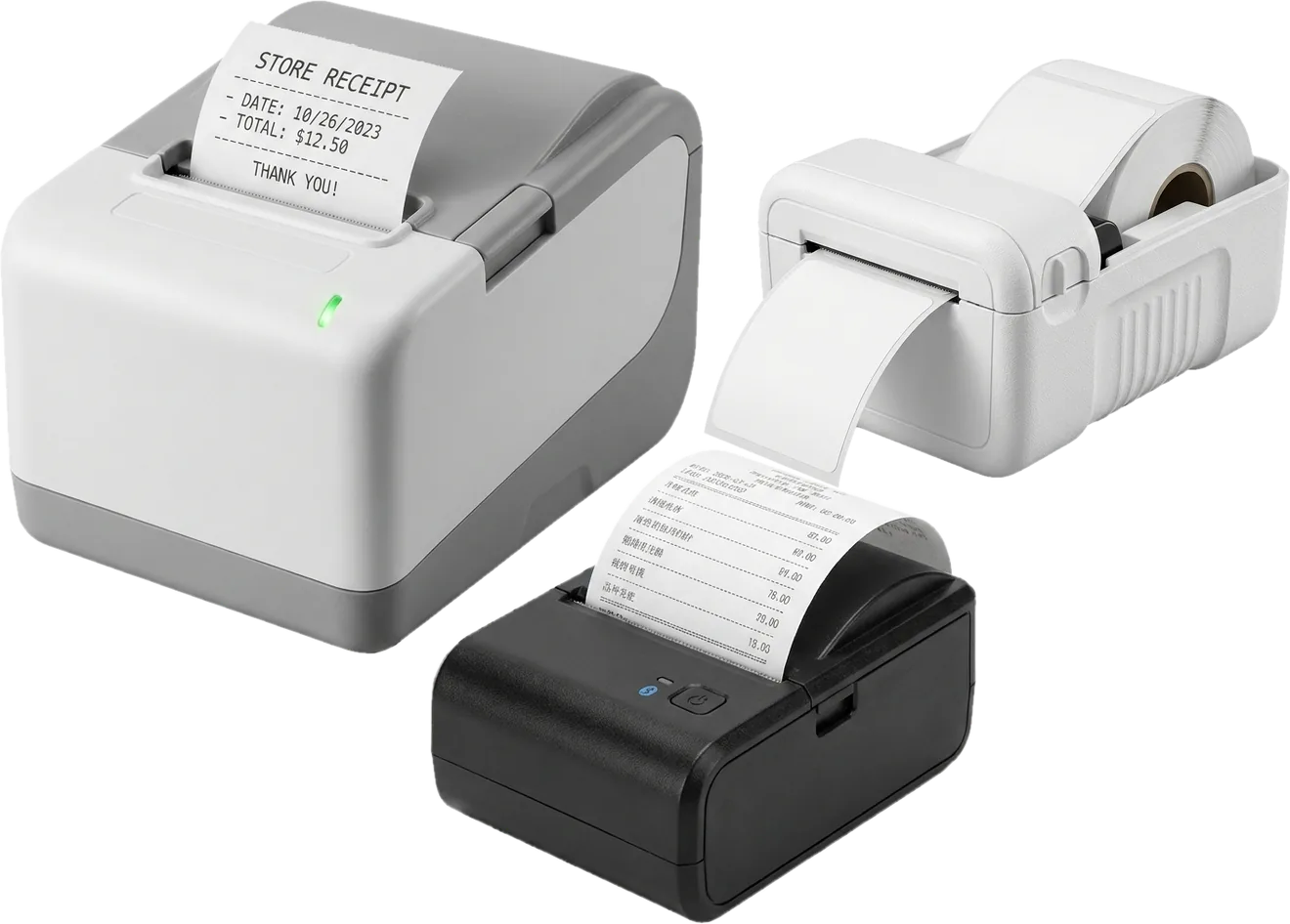
Bluetooth printers pair with your phone, so you can print on deliveries and at market stalls. Cloud printers stay plugged in on WiFi and print new orders even when you are not in the store. Receipts print in 8 languages.
One receipt, 8 languages
Pick a print language in printer settings and the headers, totals and notes switch to that language. Useful for export trade and for customers who speak another language.
All Bluetooth printers print multilingual receipts. Uyghur prints as an image, so it needs a table-capable 80mm printer or a Jolimark cloud printer.
What the printers can do
Multilingual receipts
Chinese, Traditional Chinese, English, Russian, Uyghur, French, Spanish and Italian.
Table layout
Items, quantities, prices and amounts line up in a clear table. Supported on 80mm table printers and Jolimark.
Store logo
Print your logo at the top of every receipt. Supported on 80mm table printers and Yilianyun.
Print templates
Choose from several receipt and delivery note layouts. Supported on 80mm table printers and Jolimark.
Print from anywhere
Create an invoice on the road and it prints in your store on a Yilianyun, Feie, Xprinter, Shangpeng or Jolimark cloud printer.
Auto-print new orders
When a customer orders from your catalog, the cloud printer in your store prints it right away.
Printer comparison
A check mark means the feature is supported. Swipe sideways on a phone to see every printer.
| Printer type | Bluetooth printers | Cloud printers | |||||
|---|---|---|---|---|---|---|---|
| Printer | 80mm table printerYinzhimei / Yinlifang / MeihengtongMost features | Standard Bluetooth printer58mm / 80mm | YilianyunK4 58mm / W1 80mm | FeieCloud receipt printer | XprinterCloud receipt printer | ShangpengCloud receipt printer | JolimarkDot matrix printer |
| Use | Wireless / portable | Wireless / portable | Plugged in | Plugged in | Plugged in | Plugged in | Plugged in |
| Connection | Bluetooth | Bluetooth | WiFi | WiFi | WiFi | WiFi | WiFi |
| Paper | Receipt / label | Receipt | Receipt | Receipt | Receipt | Receipt | Multi-part / A4 |
| Paper width | 80mm | 58mm / 80mm | 58mm / 80mm | 58mm / 80mm | 58mm / 80mm | 58mm / 80mm | 140mm / A4 / A5 |
| Multilingual receipts | Supported | Supported | Not supported | Not supported | Not supported | Not supported | Not supported |
| Uyghur | Supported | Not supported | Not supported | Not supported | Not supported | Not supported | Supported |
| Table layout | Supported | Not supported | Not supported | Not supported | Not supported | Not supported | Supported |
| Store logo | Supported | Not supported | Supported | Not supported | Not supported | Not supported | Not supported |
| Print templates | Supported | Not supported | Not supported | Not supported | Not supported | Not supported | Supported |
| Print from anywhere | Not supported | Not supported | Supported | Supported | Supported | Supported | Supported |
| Auto-print new orders | Not supported | Not supported | Supported | Supported | Supported | Supported | Not supported |
| Barcode labels | Supported | Not supported | Not supported | Not supported | Not supported | Not supported | Not supported |
| Works with computers | Supported | Supported | Supported | Supported | Supported | Supported | Supported |
FAQ
Bluetooth or cloud printer?
Pick Bluetooth if you print on deliveries or at a stall: it pairs with your phone. Pick a cloud printer if you want orders to print while you are away, or customer orders to print by themselves. You can use both.
How do I add a cloud printer?
Open Printer settings in the app, choose the brand, then scan the QR code on the printer or enter its serial number and key. After that, invoices from the phone, tablet and web all print to it.
My printer is not listed. Will it work?
Most 58mm and 80mm Bluetooth receipt printers that support ESC/POS will connect. If you are not sure, send us the model and we will check.
Got a printer? Here is how to connect it
Step-by-step screenshots for pairing a Bluetooth printer, binding a cloud printer by QR code, and setting paper width and print language.
Not sure which printer to buy?
Tell us your business and what you print, and we will recommend one.