Self-Service Ordering Guide: Customers Order from Your Quote, You Get Notified Instantly
Asking each customer on WeChat what they want, then copying it into a bill by hand every day? Turn on self-service ordering and customers pick items from your quote and submit orders themselves. You're notified instantly, and one tap turns the order into a sales bill.
1. Turn on self-service ordering
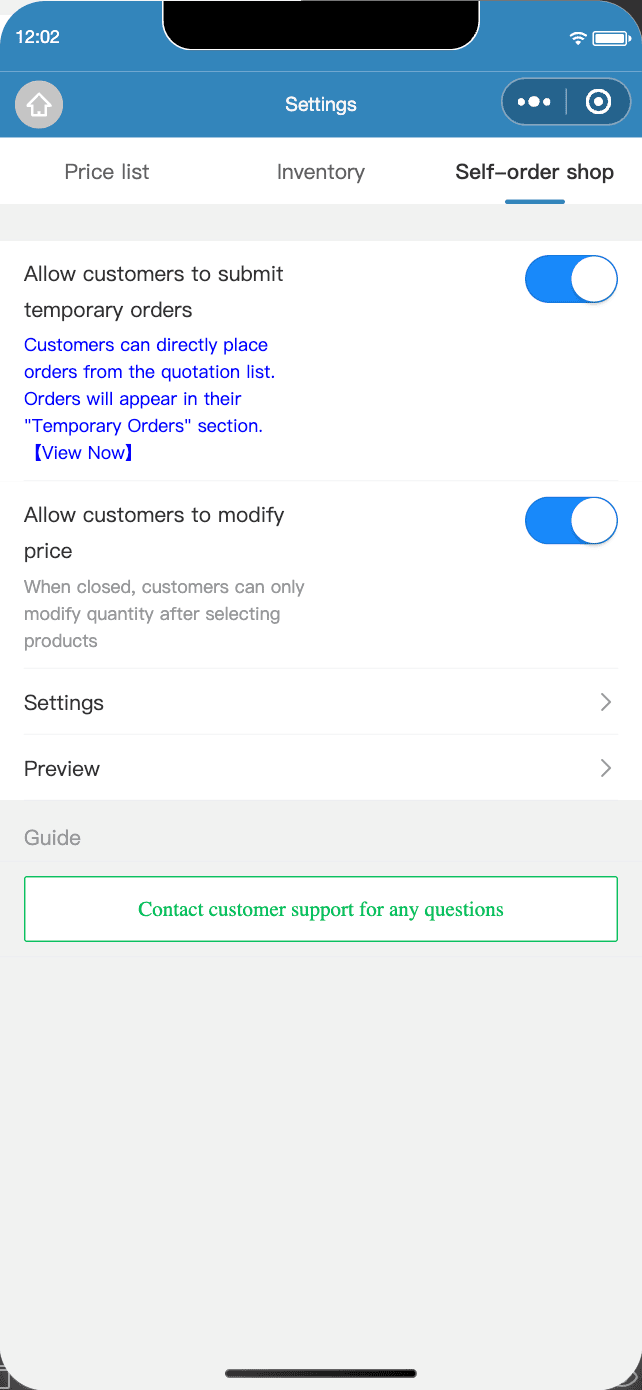
- Go to "Quotation" → "Settings" → "Self-order shop";
- Turn on "Allow customers to submit temporary orders";
- Turn on "Allow customers to modify price" if needed;
- Tap the order "Settings" to set your operating status, delivery/pickup, payment QR code, required phone binding, customer voice ordering and more.
2. Share your store with customers
In "Quotation", tap "Share" and choose:
- Self-ordering mini program QR code: display it in your store or print it on delivery notes so customers can scan and order;
- Self-service order poster: post it to WeChat Moments and customer groups;
- Or forward it directly to WeChat contacts.
Customers browse your products, tap "Add to cart" → "Submit Order", and that's it. No app download needed.
3. Set up order notifications
| Notification | How to turn it on |
|---|---|
| Official Account message | The owner follows the "Micro Quotation" Official Account; staff need the "View all bills" permission and must follow it too |
| WeCom group bot | Enter the bot webhook under "Settings" → "WeCom Notification" |
| Network printer | Turn on auto print in the order "Settings" and new orders print a receipt right away (requires a bound network printer) |
If self-service ordering is on but notifications aren't arriving, the most common reason is that the owner hasn't followed the Official Account. If the owner hasn't, staff won't get notified either.
4. Accept orders: turn them into sales bills
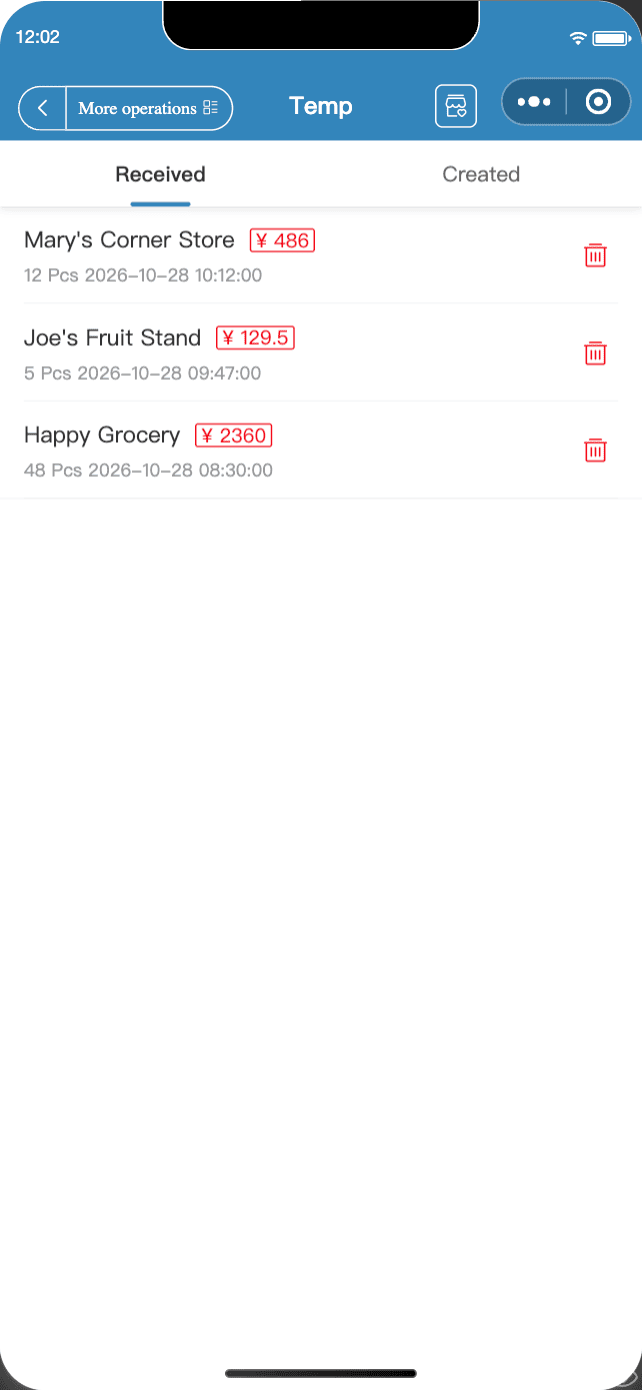
- Go to "Mine" → "Temp" (shown only after self-service ordering is on) and view customer orders under "Received";
- Tap an order to open it on Home, where you can check it and edit quantities and prices;
- Tap "Take" to save it as an official bill.
With lots of orders, use "Bulk order processing" and "Batch print" (member features).
FAQ
- I'm not getting notified when customers order?
- For Official Account notifications, the owner must first follow the "Micro Quotation" WeChat Official Account. For staff to get notified, they need the "[Bills] View all bills" permission and must follow the Official Account too. You can also set up a WeCom bot or auto print on a network printer in your store settings.
- Can customers change prices themselves?
- Your call. Turn off "Allow customers to modify price" in "Self-order shop", and customers can only change quantities.
- Can different customers see different prices?
- Yes. Put customers in groups and bind a price list, and their self-service orders show that group's prices automatically. See the "Customer-Specific Pricing" guide.
Download Micro Quotation and start billing for freeGet the App