Merge Duplicate Customers: One Customer Saved Under Two Names? Rename to Merge
A typo while billing, or two staff spelling it differently, and the same customer ends up saved twice: "Lee's Wholesale" and "Li's Wholesale". Orders and balances are split between them. No need to delete anything or edit orders one by one: rename one to the other's name and tap "Merge and update".
Merging is free. Staff need the "Create or update customers" permission. A merge cannot be undone.
1. Find the customer to merge away
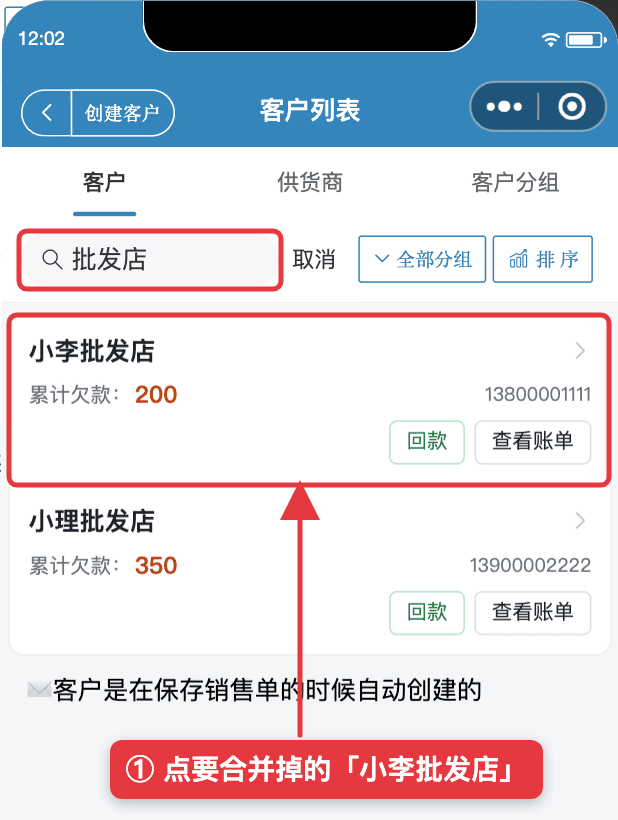
- Go to Me → Customers.
- Search "Wholesale" to list both names.
- Decide which name to keep, e.g. "Li's Wholesale", then tap the other one, "Lee's Wholesale", to edit it.
2. Rename it to the name you keep
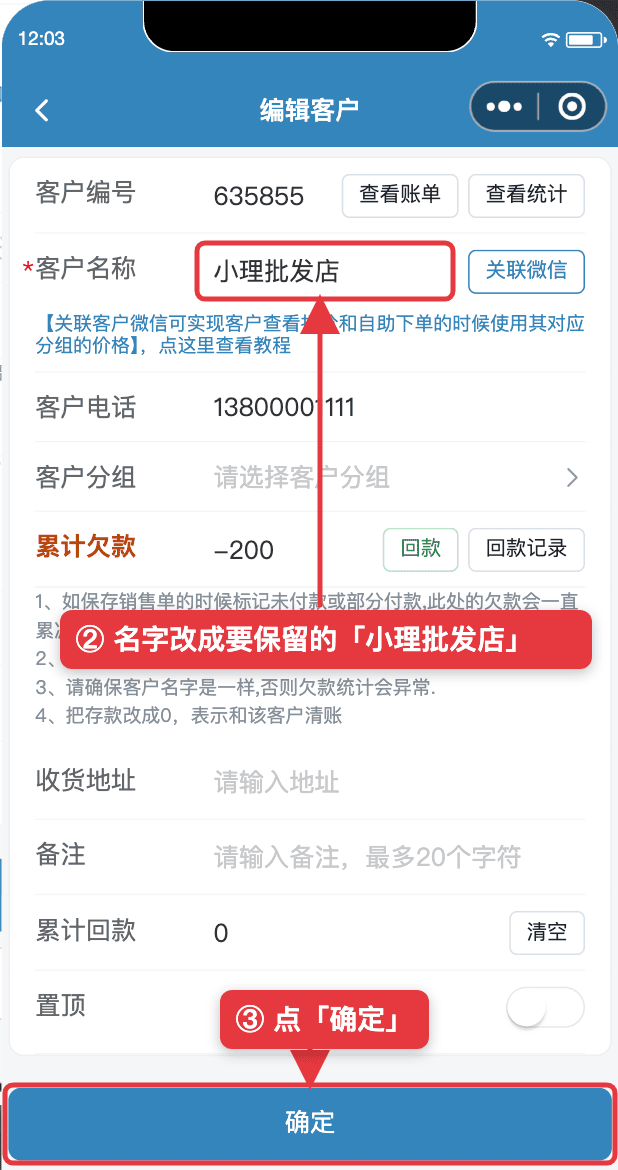
- Change Customer Name to "Li's Wholesale", spelled exactly the same.
- Tap Confirm.
3. Tap "Merge and update"
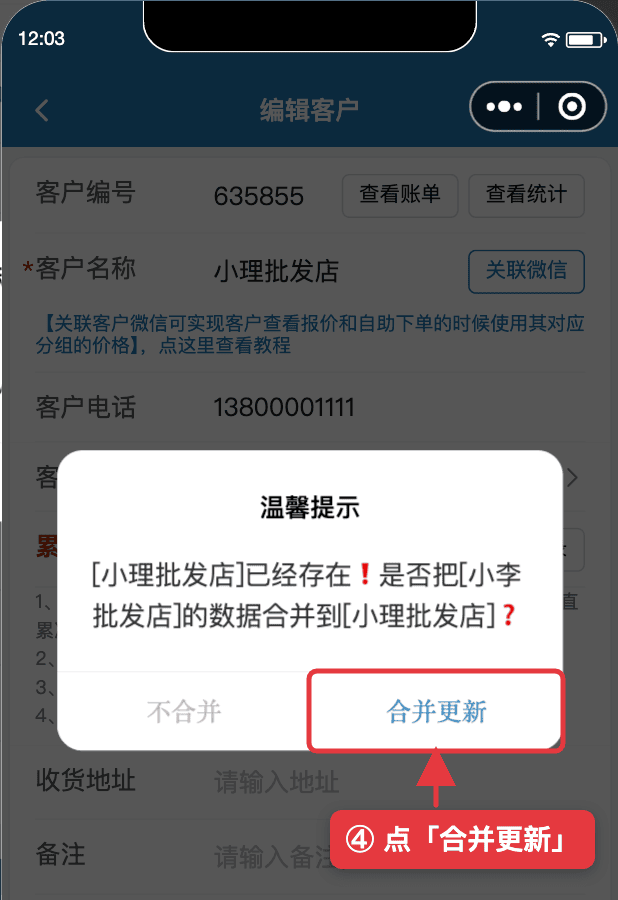
The app sees the name already exists and asks: [Li's Wholesale] already exists. Merge data from [Lee's Wholesale] into [Li's Wholesale]?
Tap Merge and update. "Do not merge" changes nothing.
4. What changes after merging
| Item | After merge |
|---|---|
| Orders | All orders of "Lee's Wholesale" move to "Li's Wholesale", customer name on them updated |
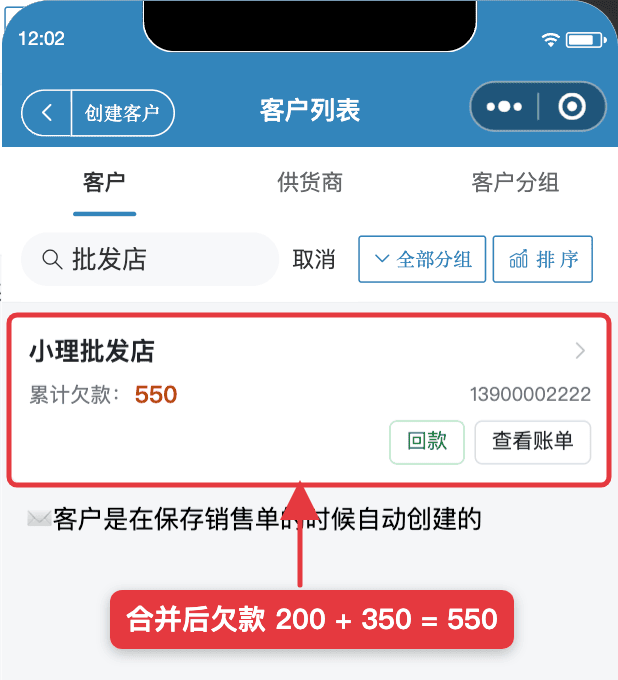
| Balance | Added together, e.g. owes 200 + owes 350 = owes 550 |
| "Lee's Wholesale" | Deleted from the customer list |
| Phone, address, note, linked WeChat | Kept from "Li's Wholesale"; copy anything you need from the other one before merging |
Only the same type can merge: customer with customer, supplier with supplier. See also Customer Groups.
FAQ
- Can I undo a merge?
- No. The merged customer is deleted and its orders now belong to the customer you kept. Make sure they are the same person first.
- Which name is kept?
- The name you rename to. The customer you are editing is merged away. To keep "Li's Wholesale", edit "Lee's Wholesale" instead and rename it to "Li's Wholesale".
- Can staff merge customers?
- Yes, if the owner turns on the "Create or update customers" permission for them.
- Can a customer and a supplier be merged?
- No. Customers merge with customers, suppliers with suppliers.
- I only want to rename, not merge.
- Rename to a name that is not used yet. You will be asked "Change all previous orders from [old] to [new]?". Tap "Update" to rename past orders too.
Download Micro Quotation and start billing for freeGet the App